03 · Rig System
AXIS Rig
Complete reference for the AXIS body and facial rig: controllers, layers, IK/FK, deformers and more.
Overview
The AXIS rig is built to provide animators with full control over body mechanics and expressive facial articulation, combining precision, modularity, and ease of use in a single system. Every region, from the torso to the eyelids, is rigged with both functional and artistic flexibility in mind.
Whether you're crafting subtle gestures or dynamic full-body motion, the rig delivers:
- Primary facial controls for intuitive posing and natural expression design.
- Eye tracking and gaze targeting with anatomical constraints.
- Secondary deformers on the face and tongue for fine-tuning and polish.
- Complete torso and neck articulation, supported by twist modules and layered control.
- Dual IK/FK workflows for limbs, switchable and independently operable.
- Limb twist refinements via tweak controls that enhance silhouette and realism.
All modules are organized into logical layers and color-coded for clarity. You can show or hide any set of controllers using AXIS Panel, letting you focus only on the controls relevant to your current task.
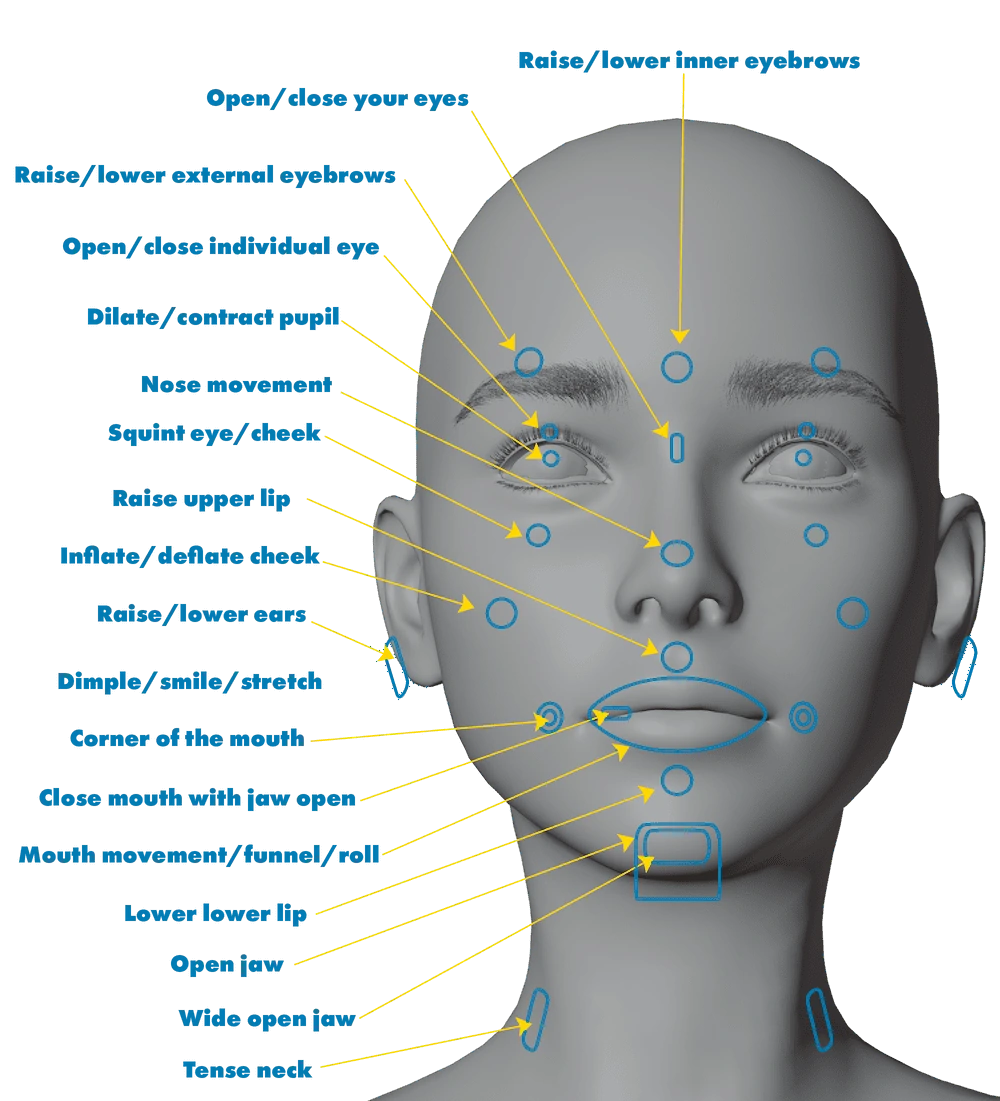
Facial Basics: Primary Controls
This section contains the most essential facial controls for animating natural expressions and responses. These controllers are positioned directly over facial features and provide intuitive manipulation.
- Eyebrows (Inner/Outer)Raise or lower each section independently to shape nuanced expressions.
- EyesOpen and close each eyelid separately or simultaneously for blinking and squinting actions.
- PupilsDilate or contract each pupil individually.
- NoseJoystick control for nostril flare and upper nose squint. The effect changes depending on the direction of the movement (up/down, left/right).
- CheeksInflate/deflate cheek volume and trigger cheek squints.
- EarsMove ears vertically for added secondary motion or stylized effects.
- Upper / Lower LipRaise or lower the lips either centrally or by side to create asymmetrical or symmetrical gestures.
- Mouth CornersPush or pull the corners of the mouth for expressions like smiles, stretches, or dimples.
- Jaw ControlsOpen the jaw normally or in wide mode, close the mouth even when the jaw is open, or apply circular motion to simulate speaking or chewing.
- Neck TensionAdds muscular tension along the neck to simulate effort, emotion, or stylized motion.
These controls serve as the base layer for expressive animation.
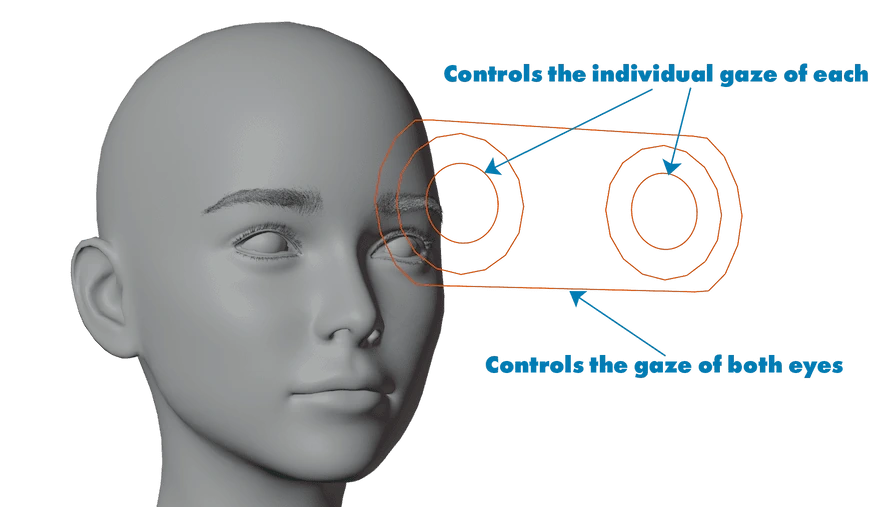
Eye Gaze Controls
This module lets you control where the character is looking with precision and flexibility.
- Individual Eye ControlsTwo circular controllers allow you to independently animate each eyeball's gaze direction. Ideal for stylized expressions, divergent gaze, or fine-tuned adjustments during close-ups.
- Global Eye ControlA centered rectangular controller drives both eyes simultaneously, keeping them synchronized when needed, for natural eye contact or focal tracking.
All eye movements respect anatomical constraints and are dampened to avoid jittery results.
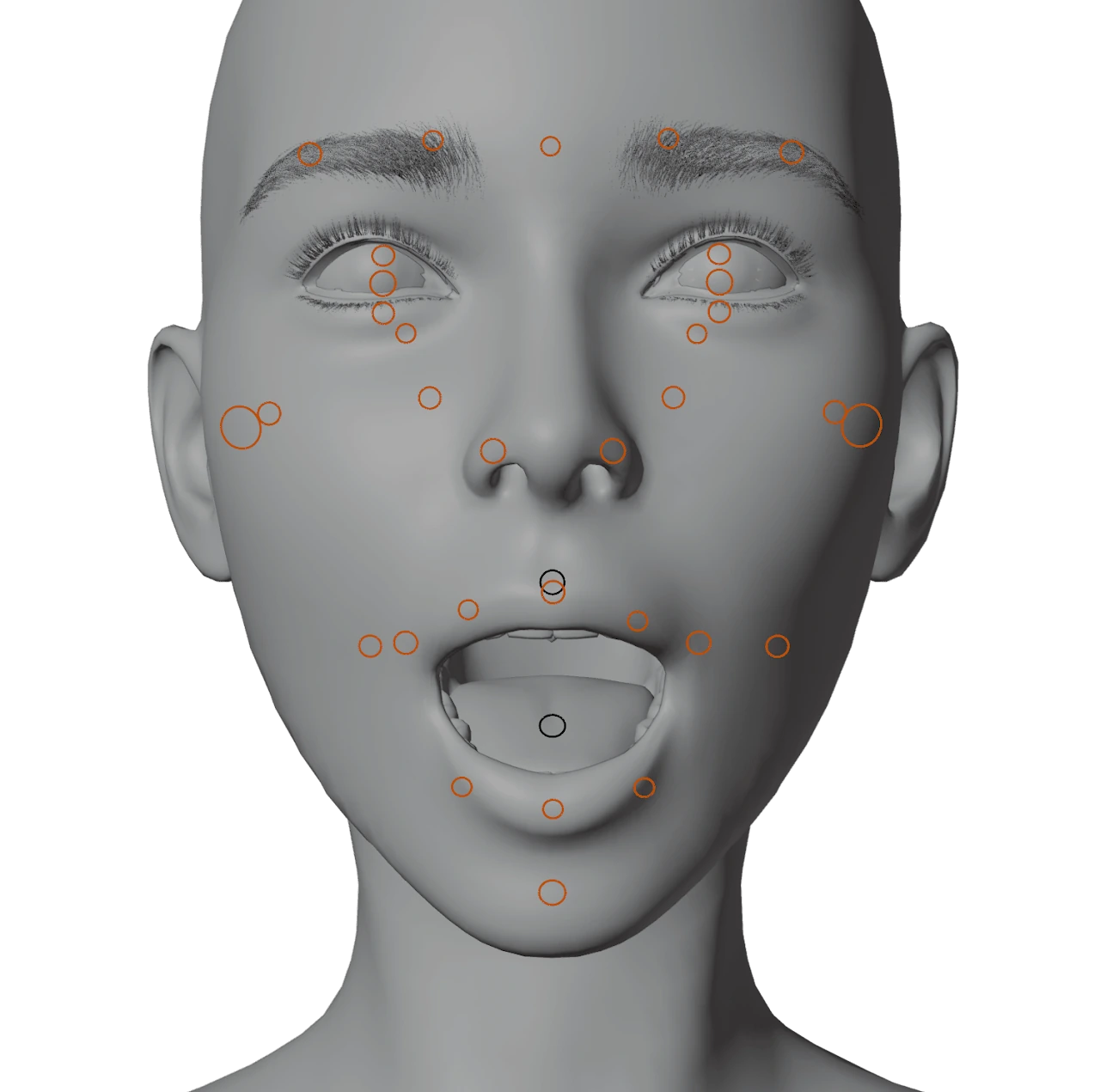
Facial Deformers
This secondary layer of facial controllers is designed for fine-tuning expressions and deformation correction. It complements the main facial widget by giving you direct access to subtle shape refinements that may be required during extreme poses or close-up shots.
- Micro DeformersThese smaller circular handles scattered around the face allow you to make delicate adjustments to cheeks, lips, eyelids, and brow shapes, ideal for polishing expressions or fixing mesh intersections.
- Tooth ControllersThe two dark circular deformers inside the mouth are used to reposition the upper and lower teeth independently. Useful for correcting bite alignment during exaggerated phonemes or stylized animations.
This layer remains non-intrusive and can be toggled via the custom panel for optimal viewport clarity.
Tongue Deformers
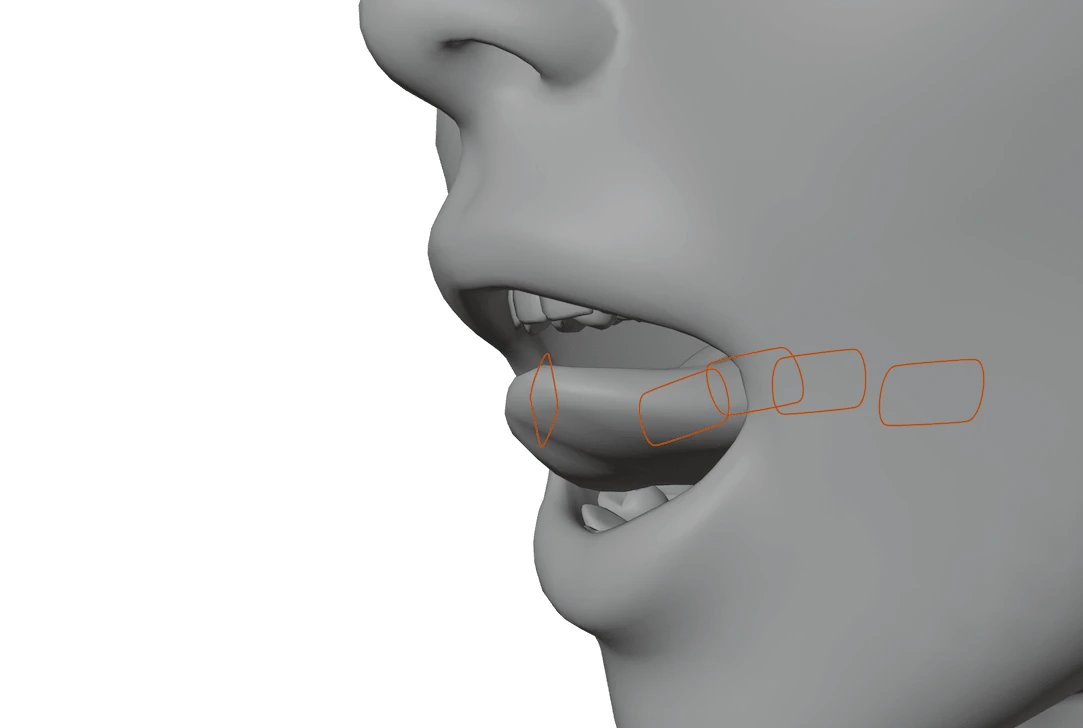
In addition to the joystick-based tongue controls, AXIS includes dedicated deformers for the tongue geometry. These allow for precise sculpting of tongue shape during phoneme articulation, extreme motion, or stylized expressions.
- Each deformer can move, scale, or rotate parts of the tongue tip and body to fine-tune silhouettes from various camera angles.
- Especially useful when blending visemes, yelling, or creating exaggerated cartoon-style motion.
- They remain active even during rig-based animation and do not conflict with the main tongue joystick logic.
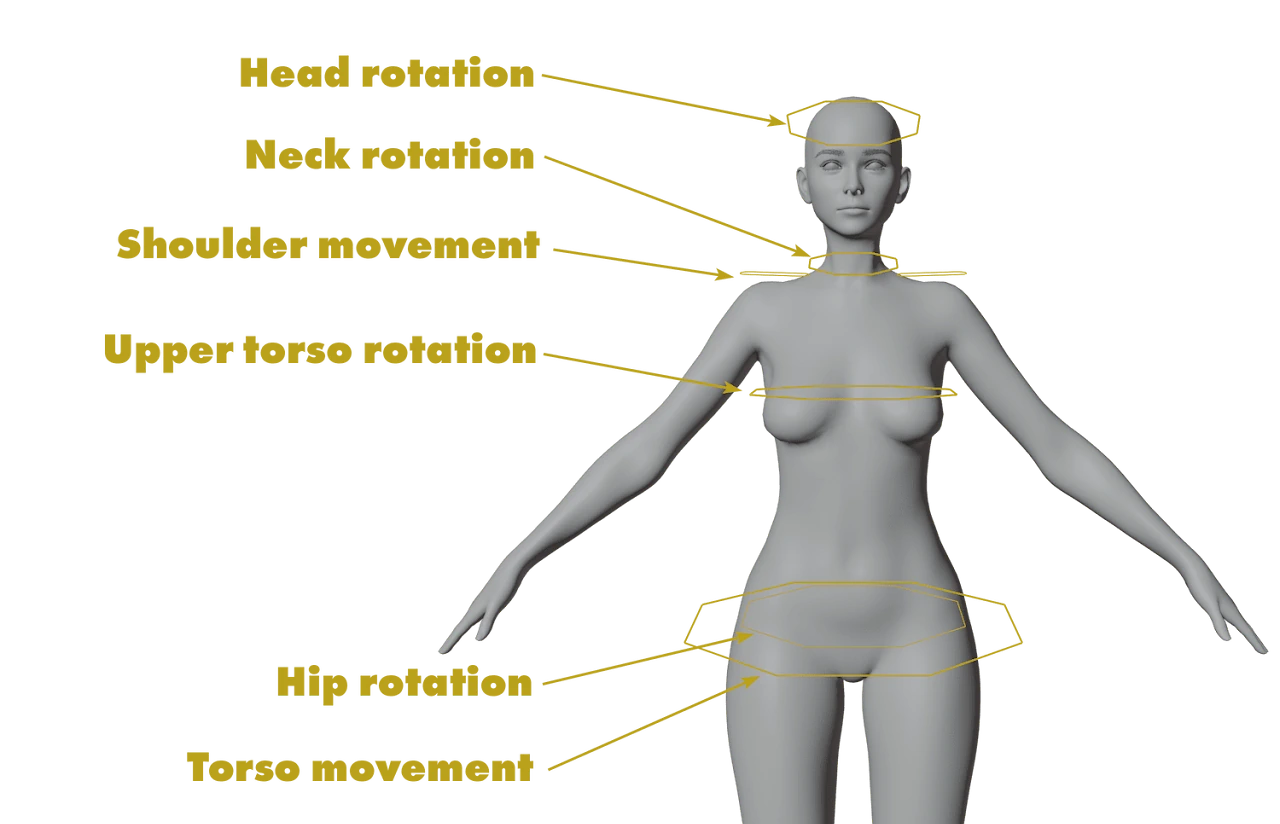
Torso, Neck, and Head
Here you'll find controllers organized to manipulate the spine, chest, neck, and head. Use R to rotate as needed.
- Head RotationRotates the head without affecting the torso.
- Neck RotationAllows subtler neck movement.
- Shoulder ControlsRaise, lower or rotate the shoulders.
- Torso Upper / LowerRotates the chest or hips.
- Torso MoveMoves the entire torso.
In IK mode, the hands and feet will stay in place even as the torso moves.
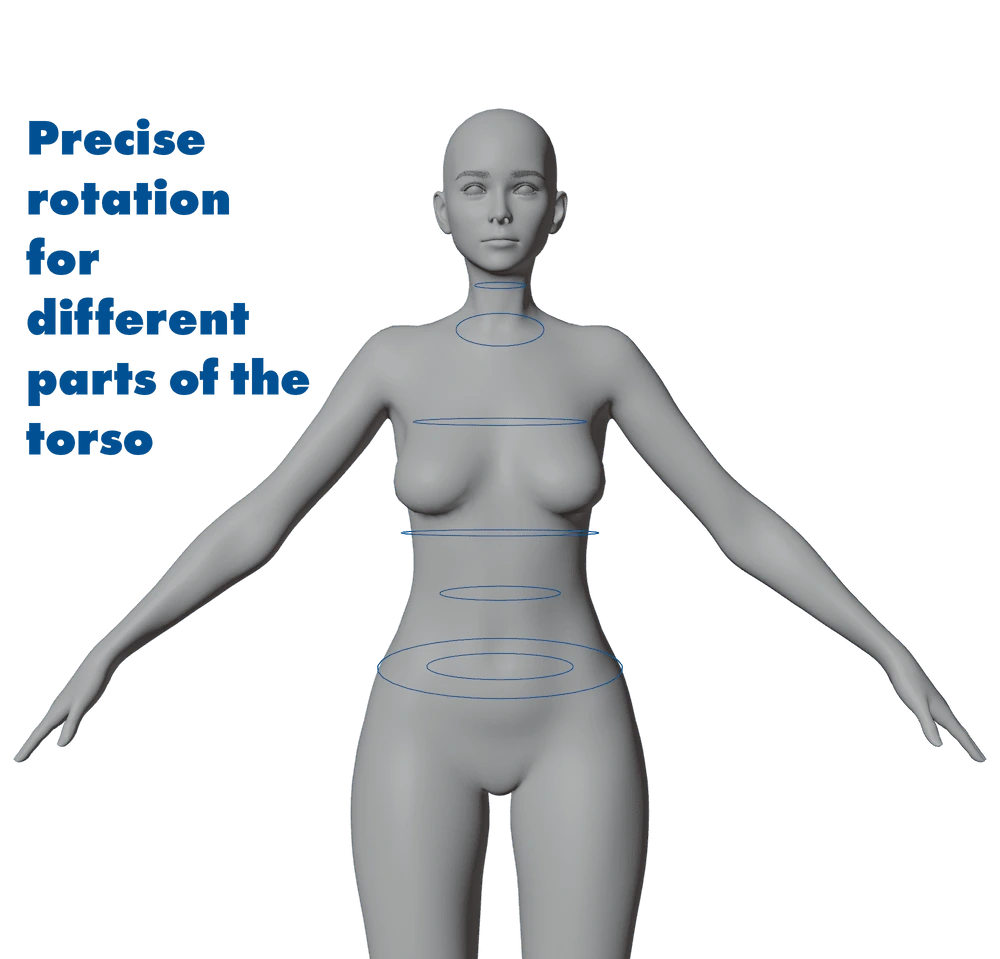
Torso Tweaks
These tweaks are located between the neck and hips. They let you add smoothness and natural motion to spine rotations. Typically used with R to rotate.
They support the main controllers and help refine pose aesthetics.
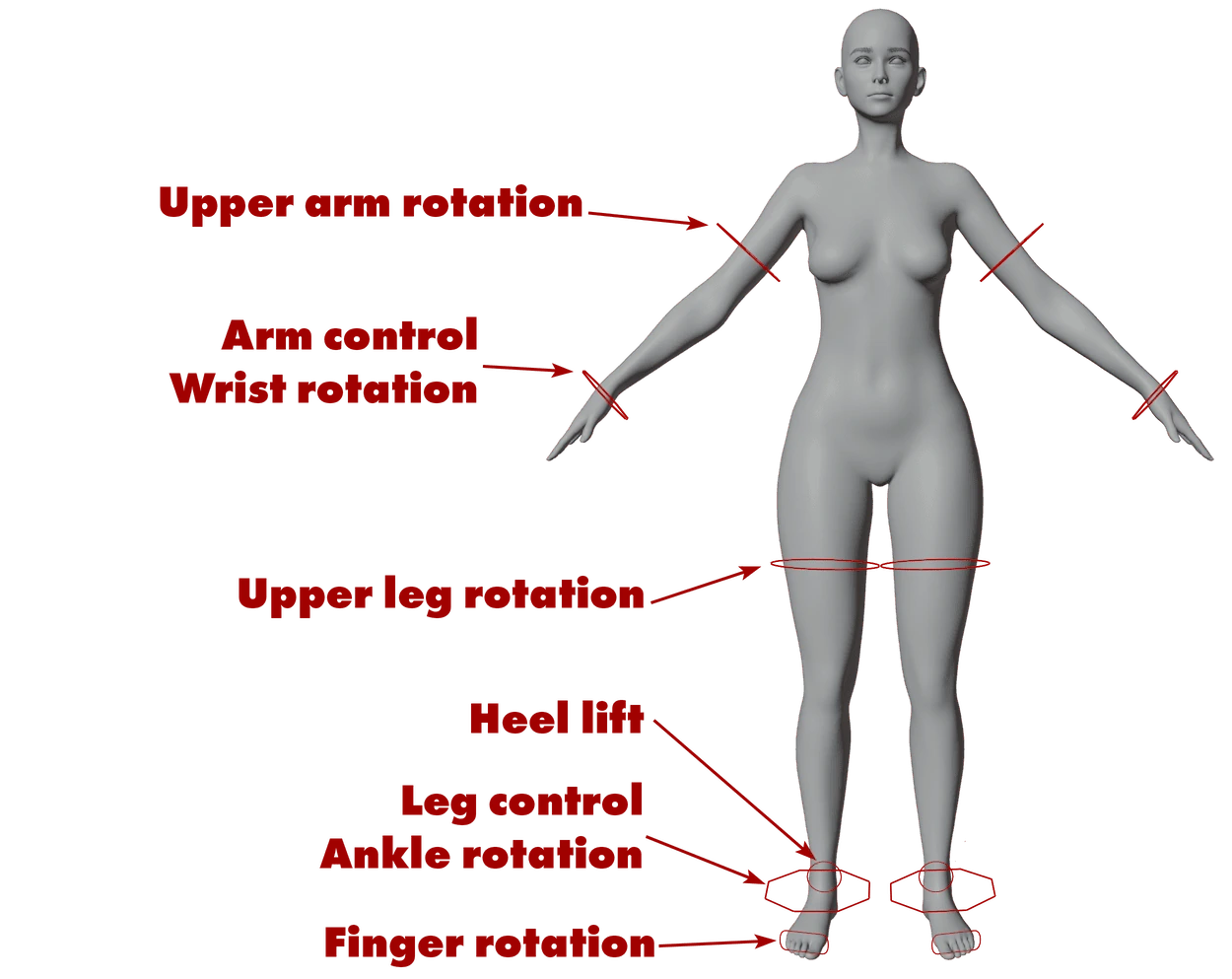
IK Controllers
For arms:
- WristRed octagon to move the hand.
- BicepRed circle to orient the elbow.
For legs:
- AnkleRed octagon that moves the whole leg.
- ThighCircle to orient the knee.
- HeelSmall circle behind the foot to lift the heel.
- ToesMoves them all together.
IK is ideal when limbs are grounded or must remain fixed while the body moves.
FK Controllers
FK gives you direct control over the rotation of each part.
For arms:
- Wrist, Forearm, Upper armGreen circle, octagon, and shoulder circle respectively.
For legs:
- Thigh, Knee, Ankle, ToesEach have their respective green controllers.
FK is very useful when limbs need to follow the torso naturally.
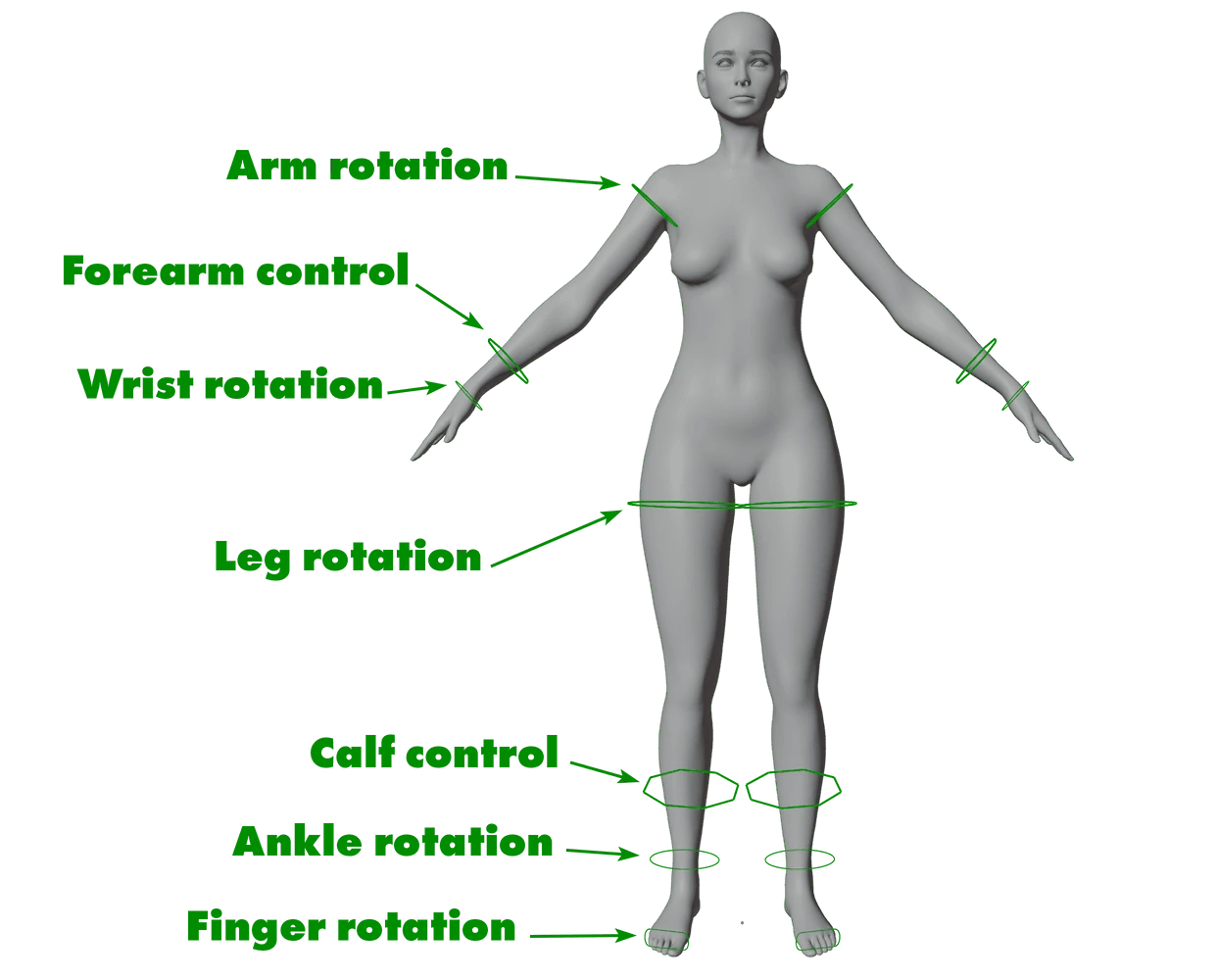
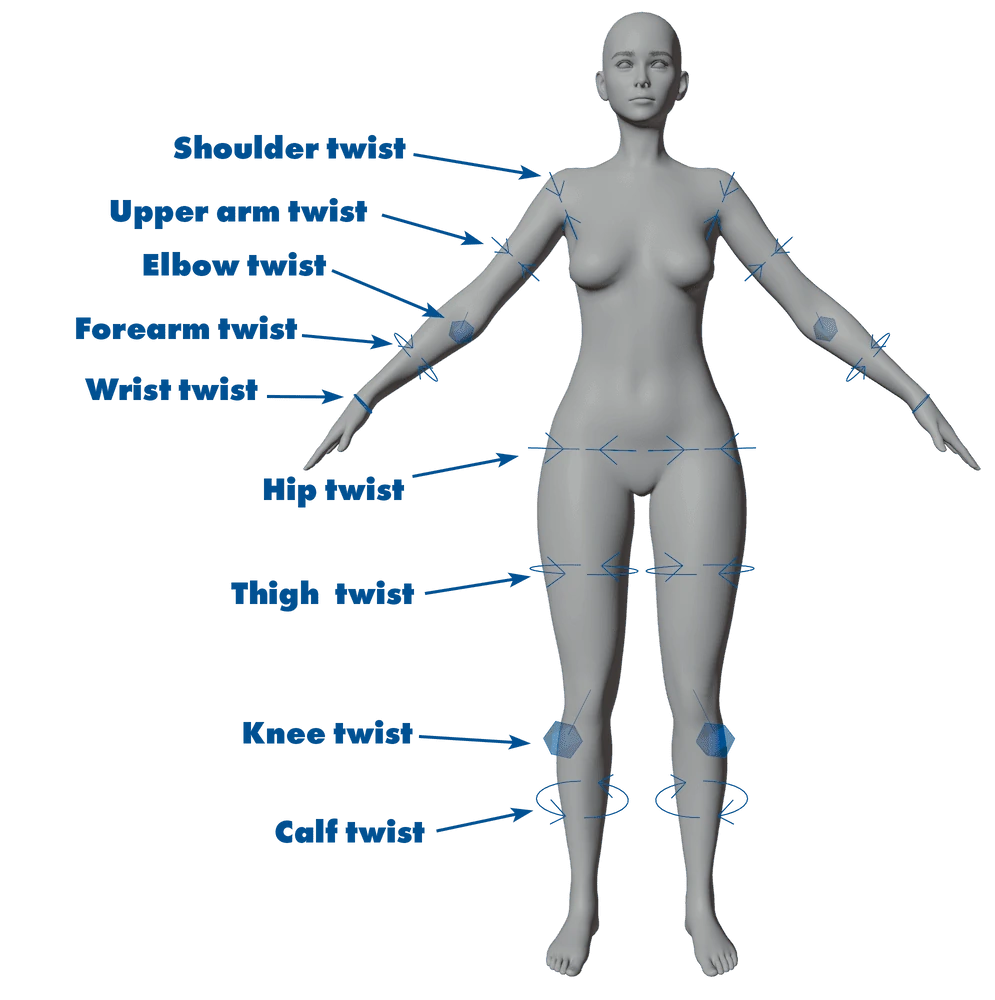
Limb Tweaks
These blue controllers allow fine twist control for arms and legs.
- ArmsTweaks for shoulder, bicep, elbow, forearm, and wrist.
- LegsTweaks for hip, thigh, knee, and calf.
They don't affect the overall structure but improve pose accuracy, especially in complex animations.